Code Art: DIY Photoshop
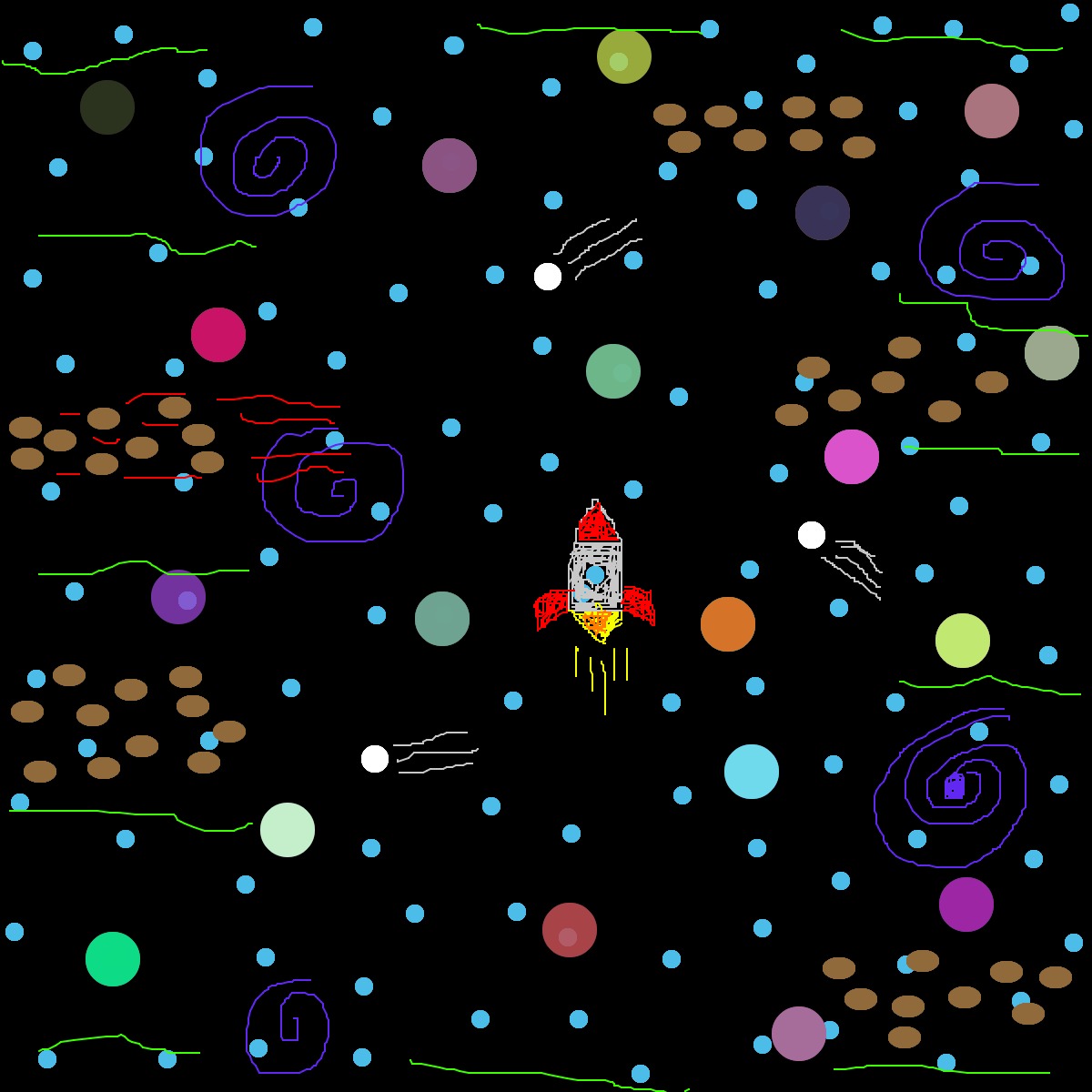
As part of my Code Art Project series, this is a DIY, or "do it yourself", of Photoshop. This was done with the help of the coding software Processing. The idea with this project is to create artwork, using encoded tools with their own functions, as a person would do in Photoshop. The image below is simply an example of the work that can be done using the encoded software.
DIY Photoshop- Space Exploration
var img;
var initials ='ag'; // your initials
var choice = '1'; // starting choice, so it is not empty
var screenbg = 250; // off white background
var lastscreenshot=61; // last screenshot never taken

function preload() {
// preload() runs once, it may make you wait
//  img = loadImage('cat.jpg');  // cat.jpg needs to be next to this .js file
// you can link to an image on your github account

}

function setup() {
createCanvas(600, 600);  // canvas size
background(screenbg);   // use our background screen color

}

function draw() {
  if (keyIsPressed) {
    choice = key; // set choice to the key that was pressed
    clear_print(); // check to see if it is clear screen or save image
  }
  if (mouseIsPressed){
    newkeyChoice(choice);  // if the mouse is pressed call newkeyChoice
  }
}

function newkeyChoice(toolChoice) { //toolchoice is the key that was pressed
  // the key mapping if statements that you can change to do anything you want.
  // just make sure each key option has the a stroke or fill and then what type of
  // graphic function

 if (toolChoice == '1' ) {  // first tool
   background(0);

  } else if (toolChoice == '2') { // second tool
    noStroke(20);
    fill(75,189,232);
    ellipse(mouseX, mouseY, 10, 10);

  } else if (toolChoice == '3') { // third tool
    noStroke(20);
    fill(255);
    ellipse(mouseX, mouseY, 15, 15);

  } else if (toolChoice == '4') { // fourth tool
    noStroke(0);
    fill(144,106,58);
    ellipse(mouseX, mouseY, 18, 12);

  } else if (key == '5') { // fifth tool
    stroke(255, 0, 0); //red
    line(mouseX, mouseY, pmouseX, pmouseY);

  } else if (toolChoice == '6') { // sixth tool
    stroke(255, 126, 0); //orange
    line(mouseX, mouseY, pmouseX, pmouseY);

  } else if (toolChoice == '7') { // seventh tool
    stroke(246, 255, 0); //yellow
    line(mouseX, mouseY, pmouseX, pmouseY);

  } else if (toolChoice == '8') { // eigth tool
    stroke(60, 255, 0); //green
    line(mouseX, mouseY, pmouseX, pmouseY);

  } else if (toolChoice == '9') { // ninth tool
    stroke(96,40,240); //purple
    line(mouseX, mouseY, pmouseX, pmouseY);

  } else if (toolChoice == '0') { // tool 0
    stroke(200); //white
    line(mouseX, mouseY, pmouseX, pmouseY);

  } else if (toolChoice == 'g' || toolChoice == 'G') { // g places the image we pre-loaded
    noStroke(20);
    fill(random(255), random(255), random(255), random(255));
    ellipse(mouseX, mouseY, 30, 30);
  }
 }

function testbox(r, g, b) {
// this is a test function that will show you how you can put your own functions into the sketch
  x = mouseX;
  y = mouseY;
  fill(r, g, b);
  rect(x-50, y-50, 100, 100);

}

function clear_print() {
// this will do one of two things, x clears the screen by resetting the background
// p calls the routine saveme, which saves a copy of the screen
  if (key == 'x' || key == 'X') {
    background(screenbg); // set the screen back to the background color
  } else if (key == 'p' || key == 'P') {
     saveme();  // call saveme which saves an image of the screen
  }
}

function saveme(){
    //this will save the name as the intials, date, time and a millis counting number.
    // it will always be larger in value then the last one.
  filename=initials+day() + hour() + minute() +second();
  if (second()!=lastscreenshot) { // don't take a screenshot if you just took one
    saveCanvas(filename, 'jpg');
  }
  lastscreenshot=second(); // set this to the current second so no more than one per second

}